Kurahi Business · Department 01 of 15
Executive office / Secretariat
Every incoming email is filed as a case in the right department, routine mail gets a polite reply draft, and each team member starts the day with a morning brief. Nothing is sent without a person.
What Kurahi does in this department
Agents prepare; people decide. No agent sends, pays or deletes anything on its own.
Inbox cases, reply drafts and documents
Each new email is filed as a case in its department's queue, clean routine mail gets a reply draft in Outlook, and a Word document written from approved company facts is attached when the email asks for one.
- Inputs
- New inbox mail (up to 15 per run), approved company facts in knowledge/company-facts.md
- Kurahi prepares
- Case in the department's queue, keigo or business-English reply draft, Word document attached when the email asks for one
- Checks
- Flags for look-alike domains, bank-account changes, credential requests, text addressed to an AI; 【要確認】 for unknowns
- Connected systems
- Microsoft 365 mail (read) and Outlook drafts (write.mailDraft); office plugin renders documents; knowledge/ read-only
- Autonomy
- L1 準備; nothing is sent; flagged mail gets no draft or document; needs 実行 Act mode
Morning brief
Weekdays at 07:30 each member receives a brief, built from recorded data only, of what routines handled, decisions and flagged items waiting for them and commitments due, as an Outlook draft or a file.
- Inputs
- Recorded data only: routine runs, documents, decisions and flagged items waiting, proposals, commitments due
- Kurahi prepares
- One brief per project member, Japanese then English, as an Outlook draft to their own address or a file in output/briefs/
- Connected systems
- Microsoft 365 Outlook drafts (write.mailDraft) only
- Autonomy
- L1 準備; engine-built, no model called; recipient from policy; nothing is sent
Inbox triage and reply drafts
Every 15 minutes on weekdays new mail is categorised and prioritised with a one-line summary, and routine mail gets a keigo reply draft with 【要確認】 for anything unknown.
- Inputs
- New inbox mail every 15 minutes on weekdays 8:00–19:00, up to 10 per run
- Kurahi prepares
- Category, priority, one-line summary; keigo or business-English reply draft; case in 総務依頼 for what needs a person
- Checks
- 【要確認】 for anything unknown; no reply for flagged mail, automated notices or internal broadcasts
- Connected systems
- Microsoft 365 mail (read) and Outlook drafts (write.mailDraft); nothing sent
- Autonomy
- L1 準備 (prepare); nothing is sent: a person reviews and sends drafts
Suspicious mail goes to a person
Look-alike sender domains, bank-account changes, credential requests and text addressed to an AI are flagged; flagged mail gets no reply draft or document.
- Inputs
- Incoming mail read by the inbox routines, treated as untrusted data
- Kurahi prepares
- Flags on the case: suspected_fraud, phishing, prompt_injection, unverified_sender
- Checks
- Look-alike sender domains, bank-account changes, credential requests, text addressed to an AI
- Who approves
- Only a person clears a flag, with a written reason; suspected fraud blocks approval and completion until cleared
- Autonomy
- No reply draft or document for flagged mail
Meeting time proposals
Routines can record candidate meeting times and attendees on a case for a person to confirm; nothing is written to a calendar.
- Kurahi prepares
- Up to 10 candidate slots, attendees and a note recorded on the case
- Who approves
- A person confirms the proposal
- Autonomy
- Prepare-class action (L1); nothing is written to a calendar
Executive office work queue
Requests, cases and documents for this department are kept in one queue; the secretariat inbox routine files incoming mail here when the email belongs to executive office.
- Inputs
- Requests, cases and documents; emails filed here by the secretariat inbox routine when they belong to this department
- Kurahi prepares
- Case with title, category, priority, flags, short summary and next step; reply draft for clean routine mail
- Checks
- Requester and description required; do not claim external actions were performed; document reviews require a source attachment
- Connected systems
- Microsoft 365 mail (read) and Outlook drafts (write.mailDraft); nothing sent
- Autonomy
- L1 準備 via secretariat-inbox-full; no sending, payments, bookings or account changes; flagged mail gets no reply
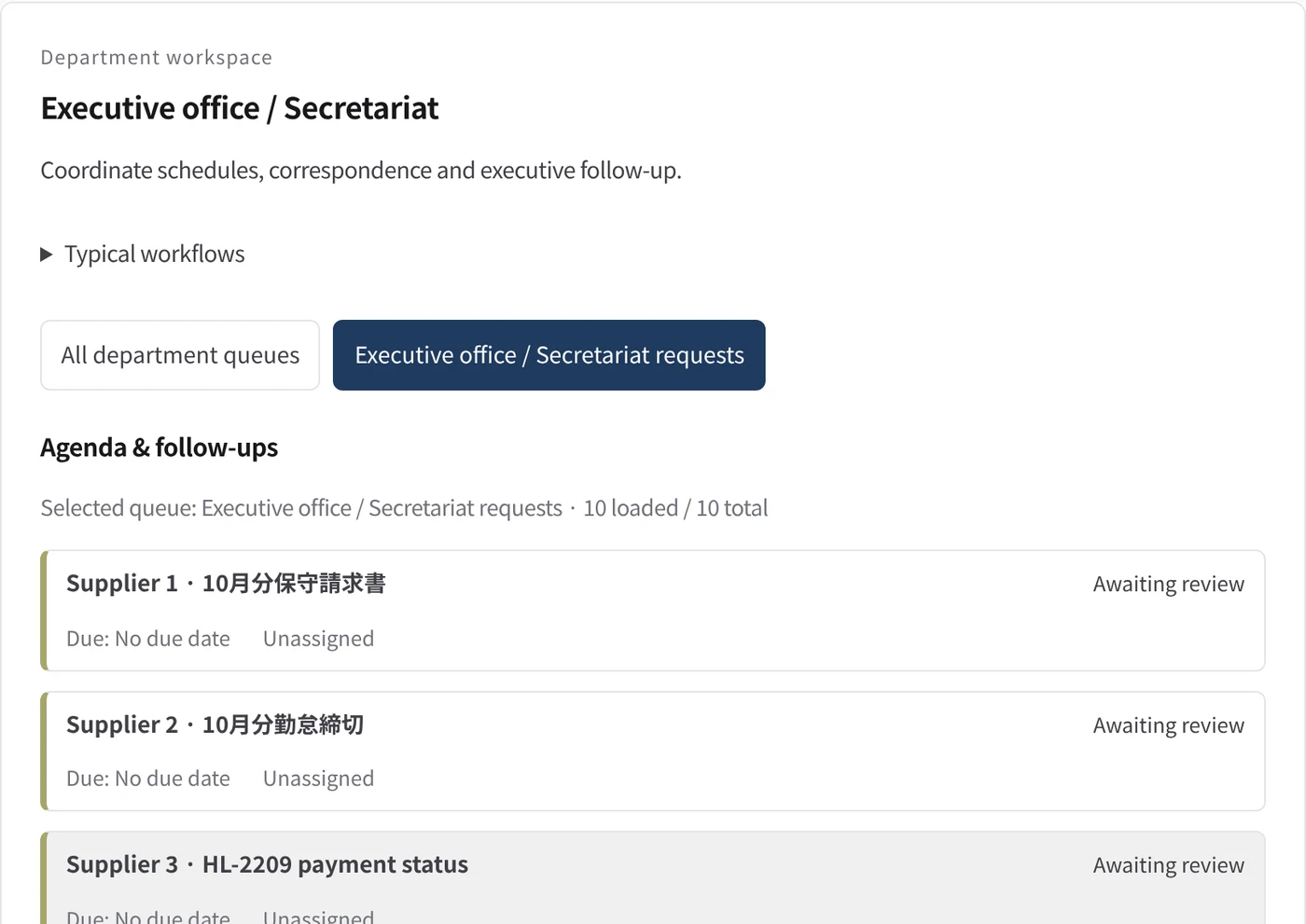
Department workspace: Agenda & follow-ups
Executive-office work is listed with its due date and owner.
- Inputs
- Work items in the project queues mapped to this department
- Kurahi prepares
- Read-only list of records with status, due date and owner
Work queues
- Executive office
Policy checks
- Requester and description required
- Do not claim external actions were performed
- Document reviews require a source attachment
Autopilot routines
- Inbox cases, reply drafts and documents
- Morning brief
- Inbox triage and reply drafts
Documents
- Reply drafts in Outlook
- Word documents from approved company facts
- Morning brief (Outlook draft or file)
Connected systems
- Microsoft 365
In every department
- Its own workspace, and an agent conversation that knows the department
- Incoming mail routed into the department's queue
- Approval routes with the required approvers and separation of duties
- Word, Excel and PowerPoint documents
- Signed evidence for every step
- A morning brief of decisions waiting and items escalated
Shared connectors
- kintone
- Gmail
- Box
- LINE WORKS
- Microsoft 365
Start with one workflow.
Tell us about the work you want to hand over. We will show you Kurahi on your own process, then help you decide how far to take it.
Contact us
A conversation about the work, the systems involved and who approves what. A demo on a process like yours.
Contact usGet a quote
For digital staff, the data governance suite, air-gapped deployment and SLA support, by written agreement.
Get a quoteStart free
Install Kurahi on your own server and run the editions, the work queue and autopilot at L0 and L1 at no charge.
Start free