Kurahi Business · Department 01 of 15
Executive office / Secretariat
Every incoming email is filed as a case in the right department, routine mail gets a polite reply draft, and each team member starts the day with a morning brief. Nothing is sent without a person.
What Kurahi does in this department
Agents prepare; people decide. No agent sends, pays or deletes anything on its own.
Inbox cases, reply drafts and documents
Each new email is filed as a case in its department's queue, clean routine mail gets a reply draft in Outlook, and a Word document written from approved company facts is attached when the email asks for one.
- Inputs
- New inbox mail (up to 15 per run), approved company facts in knowledge/company-facts.md
- Kurahi prepares
- Case in the department's queue, keigo or business-English reply draft, Word document attached when the email asks for one
- Checks
- Flags for look-alike domains, bank-account changes, credential requests, text addressed to an AI; 【要確認】 for unknowns
- Connected systems
- Microsoft 365 mail (read) and Outlook drafts (write.mailDraft); office plugin renders documents; knowledge/ read-only
- Autonomy
- L1 準備; nothing is sent; flagged mail gets no draft or document; needs 実行 Act mode
Morning brief
Weekdays at 07:30 each member receives a brief, built from recorded data only, of what routines handled, decisions and flagged items waiting for them and commitments due, as an Outlook draft or a file.
- Inputs
- Recorded data only: routine runs, documents, decisions and flagged items waiting, proposals, commitments due
- Kurahi prepares
- One brief per project member, Japanese then English, as an Outlook draft to their own address or a file in output/briefs/
- Connected systems
- Microsoft 365 Outlook drafts (write.mailDraft) only
- Autonomy
- L1 準備; engine-built, no model called; recipient from policy; nothing is sent
Inbox triage and reply drafts
Every 15 minutes on weekdays new mail is categorised and prioritised with a one-line summary, and routine mail gets a keigo reply draft with 【要確認】 for anything unknown.
- Inputs
- New inbox mail every 15 minutes on weekdays 8:00–19:00, up to 10 per run
- Kurahi prepares
- Category, priority, one-line summary; keigo or business-English reply draft; case in 総務依頼 for what needs a person
- Checks
- 【要確認】 for anything unknown; no reply for flagged mail, automated notices or internal broadcasts
- Connected systems
- Microsoft 365 mail (read) and Outlook drafts (write.mailDraft); nothing sent
- Autonomy
- L1 準備 (prepare); nothing is sent: a person reviews and sends drafts
Suspicious mail goes to a person
Look-alike sender domains, bank-account changes, credential requests and text addressed to an AI are flagged; flagged mail gets no reply draft or document.
- Inputs
- Incoming mail read by the inbox routines, treated as untrusted data
- Kurahi prepares
- Flags on the case: suspected_fraud, phishing, prompt_injection, unverified_sender
- Checks
- Look-alike sender domains, bank-account changes, credential requests, text addressed to an AI
- Who approves
- Only a person clears a flag, with a written reason; suspected fraud blocks approval and completion until cleared
- Autonomy
- No reply draft or document for flagged mail
Meeting time proposals
Routines can record candidate meeting times and attendees on a case for a person to confirm; nothing is written to a calendar.
- Kurahi prepares
- Up to 10 candidate slots, attendees and a note recorded on the case
- Who approves
- A person confirms the proposal
- Autonomy
- Prepare-class action (L1); nothing is written to a calendar
Executive office work queue
Requests, cases and documents for this department are kept in one queue; the secretariat inbox routine files incoming mail here when the email belongs to executive office.
- Inputs
- Requests, cases and documents; emails filed here by the secretariat inbox routine when they belong to this department
- Kurahi prepares
- Case with title, category, priority, flags, short summary and next step; reply draft for clean routine mail
- Checks
- Requester and description required; do not claim external actions were performed; document reviews require a source attachment
- Connected systems
- Microsoft 365 mail (read) and Outlook drafts (write.mailDraft); nothing sent
- Autonomy
- L1 準備 via secretariat-inbox-full; no sending, payments, bookings or account changes; flagged mail gets no reply
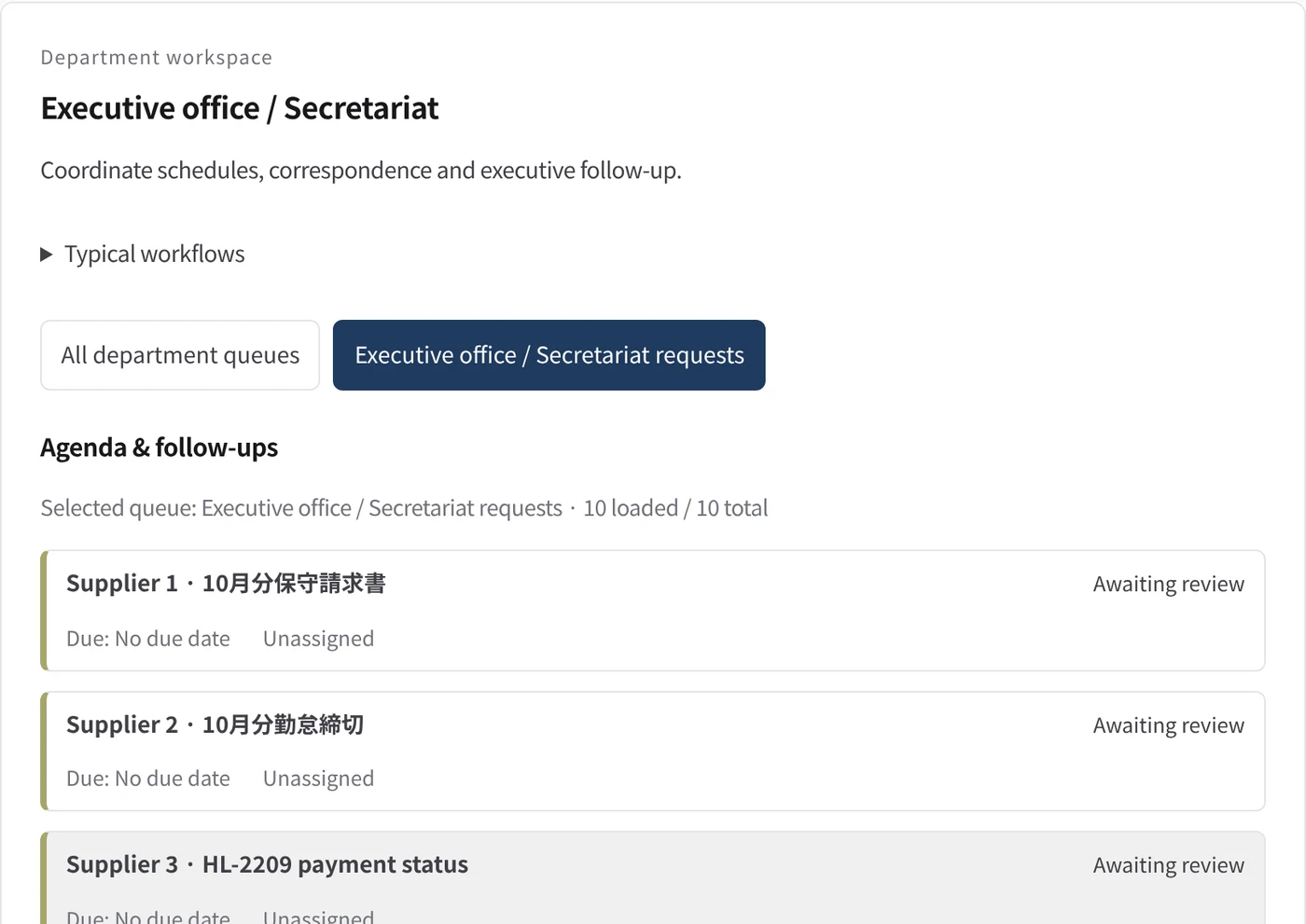
Department workspace: Agenda & follow-ups
Executive-office work is listed with its due date and owner.
- Inputs
- Work items in the project queues mapped to this department
- Kurahi prepares
- Read-only list of records with status, due date and owner
Work queues
- Executive office
Policy checks
- Requester and description required
- Do not claim external actions were performed
- Document reviews require a source attachment
Autopilot routines
- Inbox cases, reply drafts and documents
- Morning brief
- Inbox triage and reply drafts
Documents
- Reply drafts in Outlook
- Word documents from approved company facts
- Morning brief (Outlook draft or file)
Connected systems
- Microsoft 365
In every department
- Its own workspace, and an agent conversation that knows the department
- Incoming mail routed into the department's queue
- Approval routes with the required approvers and separation of duties
- Word, Excel and PowerPoint documents
- Signed evidence for every step
- A morning brief of decisions waiting and items escalated
Shared connectors
- kintone
- Gmail
- Box
- LINE WORKS
- Microsoft 365
Empiece con un solo flujo de trabajo.
Cuéntenos qué trabajo quiere delegar. Le mostramos Kurahi en un proceso como el suyo y le ayudamos a decidir hasta dónde llegar.
Contactar
Una conversación sobre el trabajo, los sistemas implicados y quién aprueba qué.
ContactarSolicitar presupuesto
Personal digital, gobernanza de datos, despliegue aislado y soporte con SLA, mediante contrato escrito.
Solicitar presupuestoEmpezar gratis
Instale Kurahi en su servidor y use las ediciones, la cola de trabajo y Autopilot en L0 y L1 sin coste.
Empezar gratis