Kurahi Business · Department 04 of 15
Human Resources
Leave and overtime requests are checked against attendance data and overtime limits, onboarding and offboarding are tracked as checklist cases, and employment certificates are requested and reviewed. Decisions about people stay with people.
What Kurahi does in this department
Agents prepare; people decide. No agent sends, pays or deletes anything on its own.
Leave request check
Leave type, period and balance are checked from the attendance export; the start must be at least three days ahead and before the end date, and special or sick leave asks for a supporting document.
- Inputs
- Employee id, leave type, start and end dates; balance from the attendance export; supporting document for special or sick leave
- Kurahi prepares
- Check of balance (残日数), dates and cover arrangements
- Checks
- Required: employee id, type, period; start at least 3 days ahead and not after end; supporting document (warning)
- Who approves
- The manager decides; 休暇申請 queue SLA 24 h
- Autonomy
- Draft never says the request is approved
Overtime check against limits
Actual hours, month-end forecast and the applicable limit (default 45 h/month, 360 h/year, 36協定 special clause) are compared and labelled 実績で超過, 月末見込みに基づくリスク or 範囲内.
- Inputs
- Employee id, date, hours, reason, month-to-date and month-end forecast hours from attendance data
- Kurahi prepares
- Approver note (実績 / 見込み / 上限 / 状態) with reason and risks; employee reply marked pending the manager's decision
- Checks
- Default limit 45 h/month, 360 h/year (36協定 special clause); status 実績で超過 / 月末見込みに基づくリスク / 範囲内
- Who approves
- The manager decides; forecast above 45 h needs a second approver, above 80 h not approvable here
- Autonomy
- Never tells the employee a request is approved
Overtime thresholds
Month-end forecast above 36 h warns, above 45 h needs a second approver and above 80 h cannot be approved in the queue; at most 8 overtime hours per day.
- Inputs
- Month-end forecast hours and daily overtime hours
- Checks
- Forecast: warn above 36 h, second approver above 45 h, over 80 h not allowed; at most 8 h per day
- Who approves
- Second approver above 45 h forecast
Approver note
A note for the approver tabulates actual, forecast, limit and status with the reason and risks, and the reply to the employee is marked as pending the manager's decision.
- Inputs
- Attendance source and snapshot date, actuals, forecast, applicable policy and its version
- Kurahi prepares
- 確認メモ: figures table, reason, risks, 【要確認】, reviewed versions, reviewer and next action
- Autonomy
- Source facts only; the note is not an approval or employment decision
Manager and HR review routes
Leave always goes to the department manager and then HR; overtime goes to the manager and adds an HR review when the month-end forecast exceeds 45 hours.
- Checks
- No self-approval; one person cannot fill two stages; access fallback none
- Who approves
- Leave: 所属長確認 then 人事確認 (24 h each). Overtime: 所属長確認 (8 h); 人事確認 when forecast above 45 h
Attendance source on record
Leave and overtime reviews require the attendance source and snapshot date, keep actuals separate from forecasts and never replace unknown values with zero.
- Inputs
- Attendance source and snapshot date (attendanceAsOf); requested and available days; month-to-date and forecast hours
- Checks
- 休暇・残業申請の必須項目; attendance snapshot cannot be future-dated
- Who approves
- A person verifies identity, entitlement, balances, forecast ≥ actuals and source freshness
- Autonomy
- Sources read-only; missing values stay unknown, never zero
Onboarding and offboarding checklists
Joiners and leavers are tracked as cases with effective date, case owner and checklist reference, with a task-by-task evidence worksheet.
- Inputs
- Employee ID, department, effective date, case owner, checklist reference
- Kurahi prepares
- Checklist case with stable task keys, dependencies, owners, due dates and evidence per task
- Checks
- 入社準備・退社準備の必須項目; effective date validated (past dates allowed for exception tracking)
- Who approves
- 人事確認 (people-reviewer): 72 h onboarding, 24 h offboarding
- Autonomy
- Never grants or revokes access, changes payroll, sends notices or deletes records
Cross-department onboarding plan
The console can load the onboarding or offboarding checklist as a draft plan of steps, departments and dependencies for a person to review before creating linked cases.
- Inputs
- Onboarding or offboarding worksheet: task manifest (Key, Task, Depends on) and department mapping
- Kurahi prepares
- Read-only linked-case plan draft: steps, departments and dependencies, prerequisites first
- Checks
- Any unreadable cell, unmapped task or bad department refuses the whole plan
- Who approves
- A person reviews and explicitly creates the linked cases
- Autonomy
- Selecting a worksheet creates no child cases and changes no access, HR or equipment
Employment certificate requests
Certificate requests record type, purpose, language and delivery method and are reviewed by the HR reviewer.
- Inputs
- Certificate type, purpose, language, delivery method
- Checks
- 証明書発行の必須項目; Requester, department, description and needed-by date required; needed-by at least 2 calendar days ahead; no completion claims
- Who approves
- 証明書発行担当者 (hr-reviewer), 72 h; returns to requester
- Autonomy
- Never issues certificates; identity and delivery destination verified separately by a person
SmartHR employee lookup
Agents can read employees (work-related fields only) and departments from SmartHR; My Number, bank, insurance, pay and address are never requested.
- Connected systems
- SmartHR (always read-only): employees (work fields from a strict allow-list) and departments; disabled by default
- Autonomy
- My Number, bank, insurance, pay and address are never requested or returned
No decisions about people
Decisions about a person are on the never-list, and drafts may not say approved, payroll updated or access granted.
- Checks
- Drafts must not claim approval or downstream completion; the draft must not say the request is approved
- Autonomy
- hr.decision never happens autonomously; no access changes, payroll updates, notices or deletions
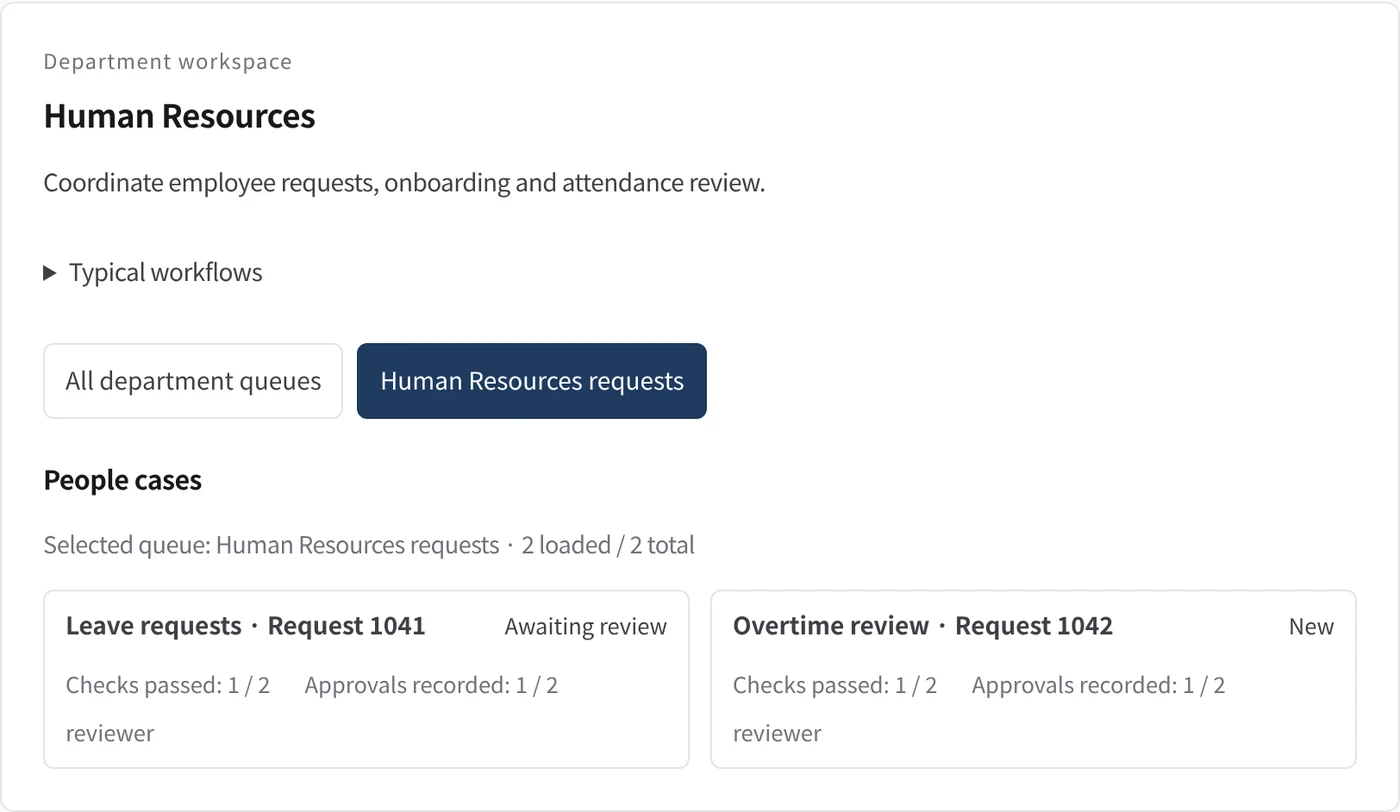
Department workspace: People cases
HR cases show how many checks have passed and how many approvals are recorded against those required.
- Inputs
- Work items in the project queues mapped to this department
- Kurahi prepares
- Read-only list with status, checks passed, approvals recorded and owner
- Checks
- Shows checks passed and approvals recorded against approvals required per record
Work queues
- Human resources
- Leave requests
- Overtime requests
- Onboarding checklist
- Offboarding checklist
- Employment certificates
Policy checks
- Required: employee id, leave type, start and end date
- Start date at least 3 days ahead and not after the end date
- Required: employee id, date, hours, reason, month-to-date and forecast hours
- Month-end forecast: warn above 36 h, second approver above 45 h, over 80 h not allowed
- At most 8 overtime hours per day
- Supporting document attached (special or sick leave)
- The draft must not say the request is approved
- Employee ID and department required
- Attendance snapshot cannot be future-dated
- Onboarding / offboarding checklist required fields
- Employment certificates required fields
- Requester and description required
- Do not claim external actions were performed
- Document reviews require a source attachment
Approval routes
- Leave requests review: manager → HR
- Overtime requests review: manager → HR (forecast over 45 h)
- Onboarding checklist review
- Offboarding checklist review
- Employment certificates approval
Documents
- Approver note
- Leave request form
- Overtime request form
- Onboarding checklist
- Offboarding checklist
- Lifecycle task evidence
- Employment certificate request form
Connected systems
- SmartHR
In every department
- Its own workspace, and an agent conversation that knows the department
- Incoming mail routed into the department's queue
- Approval routes with the required approvers and separation of duties
- Word, Excel and PowerPoint documents
- Signed evidence for every step
- A morning brief of decisions waiting and items escalated
Shared connectors
- kintone
- Gmail
- Box
- LINE WORKS
- Microsoft 365
Empiece con un solo flujo de trabajo.
Cuéntenos qué trabajo quiere delegar. Le mostramos Kurahi en un proceso como el suyo y le ayudamos a decidir hasta dónde llegar.
Contactar
Una conversación sobre el trabajo, los sistemas implicados y quién aprueba qué.
ContactarSolicitar presupuesto
Personal digital, gobernanza de datos, despliegue aislado y soporte con SLA, mediante contrato escrito.
Solicitar presupuestoEmpezar gratis
Instale Kurahi en su servidor y use las ediciones, la cola de trabajo y Autopilot en L0 y L1 sin coste.
Empezar gratis