Capabilities
Everything Kurahi does.
The 220 capabilities in Kurahi 2.3, by Kurahi Core and by edition. Every entry was checked against the source code and the documentation.
No capability matches.
Kurahi Core runtime (every edition)
Gateway, agents and sessions
| Capability | What it does | Release |
|---|---|---|
| Local gateway (WebSocket + HTTP) | One gateway process on the host serves all clients, agents and channels over WebSocket and HTTP. | 2.2 |
| Gateway authentication and device pairing | Clients connect with a gateway token or a paired device identity; pairing is approved per device. | 2.2 |
| Remote access over Tailscale | The gateway can be reached from other machines through a Tailscale tailnet instead of a public port. | 2.2 |
| Multiple agents with per-agent workspaces | Several agents run side by side, each with its own workspace, model and tool settings. | 2.2 |
| Agent-to-agent policy | Which agents may message or start other agents is set by policy. | 2.2 |
| Persistent sessions and transcripts | Sessions, transcripts and memory persist across client connections and gateway restarts. | 2.2 |
| Session compaction and pruning | Long sessions are summarised and pruned to stay within the model's context window. | 2.2 |
| Agent memory with search | Agents keep a memory store and can search it during a task. | 2.2 |
| Scheduled agent jobs (cron) | Agent tasks run on a schedule from the gateway's job scheduler. | 2.2 |
| Skills | Agents load packaged skills that add instructions and tools. | 2.2 |
| Plugins (extensions) | Features and connectors are packaged as plugins with a manifest, loaded by the gateway. | 2.2 |
| Sandboxed tool execution (Docker) | Agent shell and file tools can run inside a container sandbox instead of on the host. | 2.2 |
| Exec approvals | Shell commands that policy marks as needing approval wait for a person before they run. | 2.2 |
| External agent CLIs as backends (Claude Code, Codex) | Claude Code and Codex CLIs can run as agent backends under the tool capability. | 2.2 |
| Loop guard | Repeated identical tool calls are detected and stopped. | 2.2 |
| Factory (spec to reviewed pull request) | A written spec becomes a card, a job and a pull request that a person reviews. | 2.2 |
Models and providers
| Capability | What it does | Release |
|---|---|---|
| Provider registry (18 curated providers) | Models are chosen from a registry of 18 curated providers plus a wider best-effort catalogue. | 2.2 |
| Hosted providers (OpenAI, Anthropic, OpenRouter, Bedrock and others) | Hosted model APIs are configured per provider with their own credentials. | 2.2 |
| Japanese-hosted provider: Sakura AI Engine | Sakura Internet's AI Engine is a built-in provider for domestic hosting. | 2.2 |
| Local models (Ollama, OpenAI-compatible servers) | Models served on the same machine or private network, such as Ollama, can be used. | 2.2 |
| IBM watsonx.ai provider | watsonx.ai models are used with IBM IAM token refresh, region, version and project settings. | 2.2 |
| Model failover | When a model or credential fails, the agent falls back to the next configured model. | 2.2 |
| Usage tracking | Token use and cost are tracked per agent and session. | 2.2 |
Projects and templates
| Capability | What it does | Release |
|---|---|---|
| Projects with folder boundaries | A Project binds agents to one root folder, with read-only and writable areas as its permission boundary. | 2.2 |
| Project templates | New Projects start from templates (research, education, professional, legacy modernisation, Business packs) with folders, rules and prompts. | 2.2 |
| Versioned artifacts with review status | Documents produced by agents are saved as versioned artifacts with draft, review and approved states. | 2.2 |
| Project chats and uploads | Each Project has its own chats and uploaded files scoped to its folder. | 2.2 |
| Edition manifests on one shell | Industrial, Business, Scholars and Core are configurations of one shell; an Edition cannot change security or approval policy. | 2.2 |
Policy as code and approvals
| Capability | What it does | Release |
|---|---|---|
| Policy as code | One policy document sets which tools, models, paths and actions each agent may use. | 2.2 |
| Signed policy and attestation | The policy is signed and its attestation is checked before it takes effect. | 2.2 |
| Tool and model rules | Policy rules allow, deny or require approval per tool and per model. | 2.2 |
| Budgets | Per-agent and fleet limits on tokens, cost and tool calls are enforced and survive restarts. | 2.2 |
| Kill switch | One switch stops agent tool execution across the gateway. | 2.2 |
| Live policy reload | Policy file changes are watched and applied without a restart. | 2.2 |
| Starter policies (hospital, trading desk, factory floor) | Example policies for regulated settings are provided as starting points. | 2.2 |
| Human approvals in terminal, console or chat channel | Actions that need approval wait for a person, who can approve in the console, terminal or a chat channel, within a policy timeout. | 2.2 |
Autopilot (all Editions)
| Capability | What it does | Release |
|---|---|---|
| Autopilot routines | Routines per Project gather with read-only tools, reason with a tool-less model and act within a set autonomy level. | 2.2 |
| Autonomy levels L0–L3 | Each routine runs at L0 (observe), L1 (prepare), L2 (internal, reversible) or L3 (external within policy). | 2.2 |
| Tool-less reasoner (CLI backends) | The reasoning step runs codex-cli or claude-cli with no tools, in an empty folder, with gathered content passed as data. | 2.2 |
| API reasoner (OpenAI-compatible model APIs) | The reasoning step can call an OpenAI-compatible API (Sakura AI Engine, Qwen, local Ollama) with no tools in the request. | 2.3 |
| Schedule and event triggers | Routines start on a schedule (cron or interval) or on events: new mail, work item changes, due dates, file changes, with an hourly cap. | 2.2 |
| Behaviour watchdog | Each run is measured against its own baseline before anything executes; an outlier run is stopped and the routine demoted. | 2.2 |
| Never-lists | Actions such as payments, deletions and production OT writes are never done autonomously at any level. | 2.2 |
| Standing approvals | A person grants a bounded standing approval (recipients, templates, daily cap) that L3 external actions require. | 2.2 |
| Earned autonomy | Recorded results propose raising or lowering a routine's level; a person with authority accepts or declines. | 2.2 |
| Global stop | An authorised person can stop and later restart every routine at once. | 2.2 |
| Morning brief | Each member receives a daily brief of runs, proposals and items that need them, built by the engine without a model. | 2.2 |
| Approved company knowledge | A routine can use a declared set of approved facts, kept separate from gathered content. | 2.2 |
| Autopilot evidence and metrics | Every run is recorded as signed evidence, with per-routine statistics. | 2.2 |
| Autopilot console panel | The console lists routines and runs, checks evidence, pauses or resumes and reviews level proposals. | 2.2 |
| Linked-cases routine | A starter routine reports linked cases that are blocked, missing a step or unreadable, twice each weekday. | 2.3 |
| Platform-health starter routine | A Core starter routine runs the engine's health checks and reports problems. | 2.2 |
Evidence and audit
| Capability | What it does | Release |
|---|---|---|
| Signed evidence bundles | Every job is recorded as a bundle signed with Ed25519, with a hash of every file. | 2.2 |
| Offline bundle verification | A third party can verify an exported bundle offline with the public key. | 2.2 |
| Evidence export and HTML report | Bundles export as a zip or folder with a readable report. | 2.2 |
| Evidence replay | A job's recorded steps can be replayed for review; replay does not re-run the job. | 2.2 |
| Hash-chained audit log | Security-relevant events are written to a hash-chained, append-only log that can be verified. | 2.2 |
| Boot integrity gate | At start the gateway checks the integrity of policy and protected files and refuses to start on a mismatch. | 2.2 |
| Audit retention anchor | Old audit months can be removed while a signed anchor keeps the remaining chain verifiable. | 2.3 |
| Evidence tombstones | A deleted bundle keeps its signed manifest so its existence and contents hash stay provable. | 2.3 |
Identity
| Capability | What it does | Release |
|---|---|---|
| OIDC sign-in for people | People sign in to the console with an OIDC identity provider (off by default). | 2.2 |
| SAML sign-in | People sign in with a SAML 2.0 identity provider. | 2.2 |
| SCIM 2.0 provisioning | Users and groups are provisioned and removed from the identity provider over SCIM 2.0. | 2.2 |
| Roles and departments | Roles and departments from the identity provider decide what each person may see and approve. | 2.2 |
| Identity on evidence | Signed-in people are recorded on evidence and evidence access is checked per person. | 2.2 |
Security
| Capability | What it does | Release |
|---|---|---|
| Attachment intake | Attachments are quarantined, checked against file policy, scanned by ClamAV or Microsoft Defender and extracted in isolation. | 2.2 |
| Ransomware detection | Decoy files and mass-encryption detection stop every agent when a signal fires. | 2.2 |
| Context guard | Personal data in tool results is replaced with placeholders before the model sees it, and restored only for named tools. | 2.2 |
| Credential isolation between agents | Each agent can be limited to its own credentials instead of inheriting the main agent's. | 2.2 |
| Secrets store with OS keyring | Credentials are kept in a protected store or the OS keyring, never in plain config. | 2.2 |
| File snapshots, undo and redo | Agent file edits are snapshotted so they can be undone and redone; protected files can require a snapshot. | 2.2 |
| Supply-chain lock (skill and plugin integrity) | Skills and plugins are pinned in a lock signed with the owner key and checked before they load. | 2.2 |
| Memory provenance | Each memory write records who wrote it; untrusted writes can be quarantined. | 2.2 |
| Signed agent messages | Messages between agents are signed per agent and verified on receipt. | 2.2 |
| Terminal broker | Work Console shell input is brokered by the gateway and judged line by line against policy. | 2.2 |
| Secure defaults | New installs start with credential isolation, sandboxing and exec approvals on. | 2.2 |
| Enterprise profile | An enterprise package excludes consumer channels and the runtime refuses excluded plugins. | 2.2 |
| Hardline exec guard | A fixed guard blocks destructive shell commands regardless of other settings. | 2.2 |
| Security audit command | A built-in audit checks configuration, file permissions and exposure and can fix findings. | 2.2 |
| Data governance: retention by data class | Retention periods per data class are applied by a sweeper. | 2.3 |
| Legal hold | Records under legal hold are kept regardless of retention. | 2.3 |
| eDiscovery export | Held or selected records export as a signed package. | 2.3 |
| Personal data and My Number guard (APPI) | Outbound connector calls are checked for personal identifiers; a valid マイナンバー blocks the call by default. | 2.3 |
| Data subject requests | Access and deletion requests about a person are handled and recorded. | 2.3 |
Documents
| Capability | What it does | Release |
|---|---|---|
| Word documents | Agents create Word (.docx) files from a structured spec, written only into the Project. | 2.2 |
| Excel workbooks | Agents create Excel (.xlsx) files from a structured spec. | 2.2 |
| PowerPoint decks with charts | Agents create PowerPoint (.pptx) decks, including charts, from a structured spec. | 2.2 |
Channels and user interfaces
| Capability | What it does | Release |
|---|---|---|
| Web control UI (console) | A browser console for chat, Projects, approvals, artifacts, automations, policies, audit log and models, in Japanese and English. | 2.2 |
| Terminal UI with live reasoning view | A terminal client shows the agent's work and reasoning live. | 2.2 |
| Desktop app (Windows, macOS, Linux) | A Tauri desktop app bundles the console and connects to the local gateway. | 2.2 |
| Work Console governed terminal | A Project terminal in the console runs through the gateway's terminal broker. | 2.2 |
| Push-to-talk voice input | Voice is captured, transcribed by a local speech engine and shown for review before it is sent. | 2.2 |
| Chat channels | Agents are reachable on LINE, Slack, Microsoft Teams, Telegram, WhatsApp, Discord, Signal, Google Chat, Matrix, Mattermost, iMessage and others. | 2.2 |
| Inbound webhooks | External systems can wake an agent or start a task through authenticated webhook endpoints. | 2.2 |
| Voice calls | A voice-call plugin lets an agent take and place phone calls. | 2.2 |
Standards and APIs
| Capability | What it does | Release |
|---|---|---|
| A2A protocol server and client | Kurahi publishes an Agent Card and serves and calls agents over A2A 0.3.0. | 2.2 |
| MCP servers under policy | Agents use tools from MCP servers, governed by the same policy. | 2.2 |
| OpenTelemetry export | Runs and tool calls are exported as OTLP traces and metrics. | 2.2 |
| HTTP API with OpenAPI document | The gateway's HTTP operations are described in an OpenAPI document served by the gateway. | 2.2 |
| Typed client library | A generated TypeScript client covers the HTTP and WebSocket methods. | 2.2 |
| OpenAI-compatible and Open Responses HTTP endpoints | Other tools can call Kurahi agents through `/v1/chat/completions` and `/v1/responses`. | 2.2 |
| Tools invoke HTTP API | A single tool can be invoked over HTTP under policy. | 2.2 |
Deployment
| Capability | What it does | Release |
|---|---|---|
| Self-hosted on the customer's machine | The runtime runs on the customer's own server or PC; model calls go only to the providers they configure. | 2.2 |
| OS service (systemd, launchd, Task Scheduler) | The gateway installs as a system service on Linux, macOS and Windows. | 2.2 |
| Linux x64, macOS arm64, Windows x64 bundles | Release bundles with a bundled Node runtime are built for three platforms, with SHA256SUMS. | 2.2 |
| Enterprise package | A separate package profile without consumer channels for enterprise installs. | 2.2 |
| Local network discovery | Clients find the gateway on the local network via Bonjour/mDNS (can be turned off). | 2.2 |
Operations
| Capability | What it does | Release |
|---|---|---|
| Runtime continuity conformance (C0–C9) | A suite proves retained state, files, permissions and transcripts across restarts and model swaps, with a signed report. | 2.2 |
| AI inventory | A signed list of agents, models, tools and policy for governance reviews. | 2.2 |
| Health endpoints and status | Health and status checks report gateway, channel, model and service state. | 2.2 |
| Doctor and self-check | `doctor` and the self-check plugin find and repair configuration, service and integrity problems. | 2.2 |
| Health watchdog | A plugin watches the gateway's health and reports or restarts failing parts. | 2.2 |
| Support bundle | `kurahi support` collects a redacted diagnostics bundle for support. | 2.2 |
| Diagnostics and log rotation | Logs rotate daily and diagnostics can be gathered from the service. | 2.2 |
| Evaluation | Agent work is evaluated against specs for quality and safety. | 2.2 |
IBM watsonx integrations
| Capability | What it does | Release |
|---|---|---|
| watsonx Orchestrate → Kurahi (A2A, MCP, OpenAPI ask) | Orchestrate can call Kurahi through an A2A Agent Card, a remote MCP toolkit or an OpenAPI 3.0 ask endpoint. | 2.2 |
| Kurahi → watsonx Orchestrate agents | Kurahi agents can call Orchestrate agents with `orchestrate_agent_chat`. | 2.2 |
| watsonx.governance traces | Runs are reported as OTLP spans with Langfuse-compatible attributes, optionally pushed to Orchestrate. | 2.2 |
| watsonx.data and Db2 (read-only) | Agents query watsonx.data (Presto) and call Db2 for z/OS or LUW services through a read-only SQL guard. | 2.2 |
Kurahi Business
Departments, work queue and decisions
| Capability | What it does | Release |
|---|---|---|
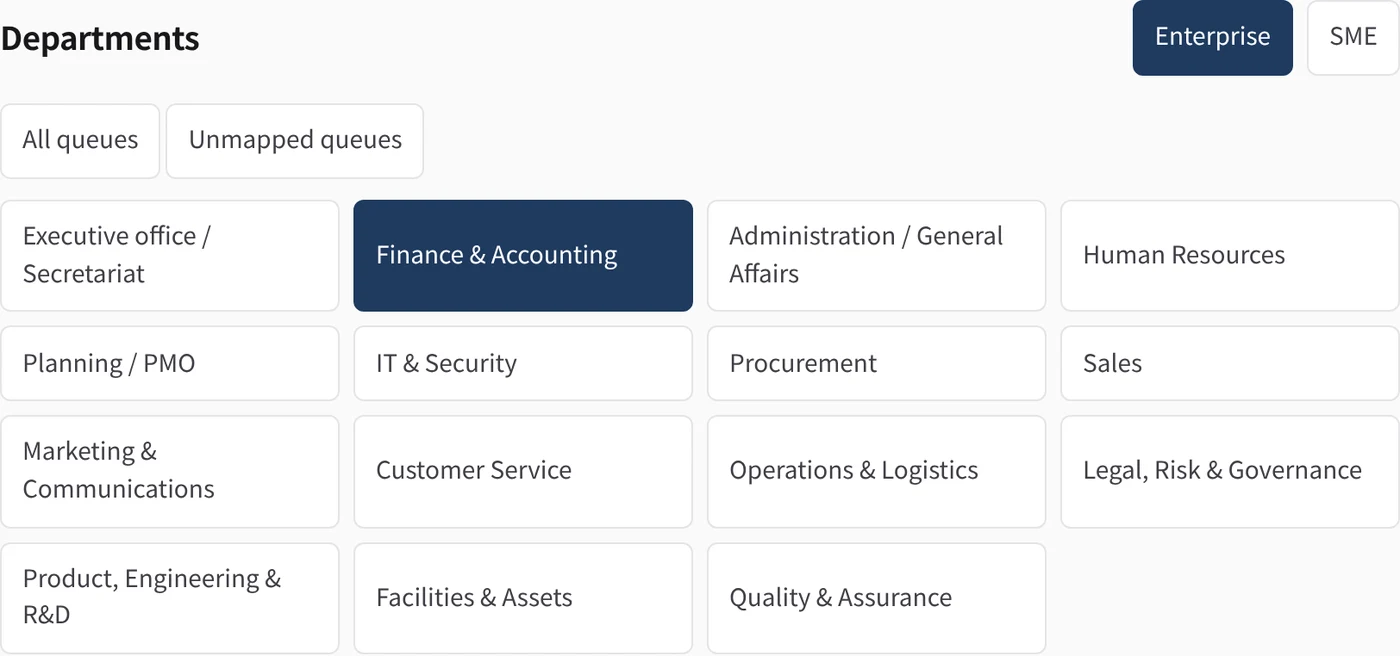
| 15 department workspaces | Navigation by department (Secretariat, Finance & Accounting, General Affairs, HR, Planning/PMO, IT & Security, Procurement, Sales, Marketing, Customer Service, Operations & Logistics, Legal & Risk, Product & R&D, Facilities & Assets, Quality), each with its own queues. | 2.2 |
| Department conversations | Opens agent chat scoped to one department's context. | 2.2 |
| Work items and queues | Requests, invoices and other cases are tracked as work items with status, owner, due time and history. | 2.2 |
| Agent-prepared drafts | An agent prepares the case summary, document or reply draft; the draft version a person decides on is pinned. | 2.2 |
| Decisions by people only | Approve, send back or cancel is accepted only from a person's connection, with a written reason where required. | 2.2 |
| Queue policy checks (workqueue.yaml) | Required fields, amount thresholds, documents and wording checks run before review and are shown on the item. | 2.2 |
| 稟議 approval routes | Ordered approval stages by role, named person or department, with amount conditions, minimum approvals, due times and send-back rules, fixed on the item at submission. | 2.2 |
| Stage overdue and escalation | A stage past its due time is marked overdue and can escalate to a further role after a set time. | 2.2 |
| Delegated approval | An approver hands one stage decision to another person with a reason and an expiry of up to 30 days. | 2.2 |
| Withdraw a delegation | The delegating approver takes the decision back before the delegate uses it, with its own evidence entry. | 2.3 |
| In-app notifications | People are notified in the console when an item awaits them, is delegated to them, or a linked case completes or stops. | 2.3 |
| Requester and read access | Items are visible to their requester, the people they are routed to and authorised roles. | 2.2 |
| Document preview and draft diff | Reviewers read source documents and compare draft versions line by line, with hashes and provenance. | 2.2 |
| Queue statistics | Counts by status and queue, overdue items, stage waits and time to approve. | 2.2 |
| Expense request form | Creates an expense request in the console with amount, date, category and purpose, then shows the policy checks. | 2.2 |
| Signed evidence per decision | Every transition writes a signed, hash-chained evidence bundle and an audit entry. | 2.2 |
| Linked cases across departments | A parent case with ordered child steps in other departments; the console can prefill the plan from an onboarding or offboarding worksheet. | 2.3 |
| Hand-offs and settlement | Records the downstream action of an approved case and closes it as "hand-off completed" or as a person-attested payment, with separation of duties. | 2.3 |
Email intake and fraud flags
| Capability | What it does | Release |
|---|---|---|
| Email intake to work items | A message read through Microsoft 365 or Gmail becomes a work item by reference; the body stays in the mailbox and one message files one item. | 2.2 |
| Risk flags | Items can carry suspected fraud, phishing, prompt injection, unverified sender or malicious attachment flags with a reason. | 2.2 |
| Fraud flags block approval | An item flagged as suspected fraud or carrying a malicious attachment cannot be approved or completed. | 2.2 |
| Person-only flag clearance | Only a person with approval rights clears a flag, with a written reason kept in the evidence. | 2.2 |
Quotations, purchasing and invoices
| Capability | What it does | Release |
|---|---|---|
| Expense and invoice review | Expense claims and received invoices arrive in a queue; the agent checks them against the claim and drafts the review; accounting approves. | 2.2 |
| Invoice intake from mail (routine) | An L1 routine files invoice mail as work items; payments are never proposed or executed. | 2.2 |
| Purchase requests | Purchase requests in a queue; the agent compares quotes and drafts an order proposal; the budget holder approves and a person places the order. | 2.2 |
| Sales quotations (見積管理) | A quotation request becomes a case with a 見積書 in Word and Excel; prices come from a people-maintained price list and Kurahi computes amounts and consumption tax per rate. | 2.3 |
| Price list as CSV or Excel | Price lists are read from CSV (UTF-8 or Shift_JIS) or the first visible sheet of an .xlsx workbook. | 2.3 |
| Final vs provisional quotation | Unpriced items or unsupported tax classes block final approval; a person may release a provisional estimate with a reason. | 2.3 |
| Quotation revisions | A changed quotation is issued as a numbered revision that names the version it supersedes. | 2.3 |
| Quotation request routine | An L1 routine turns quotation-request mail into a case with the draft quotation and a reply draft; it never sends an offer. | 2.3 |
| Supplier quotation comparison (相見積) | Compares two or more supplier quotes for the same items and quantities; an incomplete quote is never named lowest; nothing is awarded. | 2.3 |
| Supplier selection recorded by a person | A person records the chosen supplier on the case; passing over the lowest complete quote needs a reason. | 2.3 |
| Purchase order drafts (発注書) | Drafts a purchase order in Word and Excel from the supplier a person chose; it is not issued or sent. | 2.3 |
| Purchase order draft routine | An L1 routine drafts one purchase order per chosen supplier. | 2.3 |
| Procurement evidence ledgers | Bilingual worksheets for spreadsheet sources and purchase-order draft checks. | 2.3 |
Business Autopilot starter routines
| Capability | What it does | Release |
|---|---|---|
| Inbox triage and reply drafts | Files incoming mail as cases and prepares reply drafts in the mailbox for a person to send. | 2.2 |
| Inbox cases, reply drafts and documents, with morning brief | Full-chain secretariat routine (mail-triggered with hourly fallback) plus a per-person morning brief. | 2.2 |
| Employee request intake | Files employee request mail into the triage queue with an acknowledgement draft. | 2.3 |
Business functional packs (Project templates)
| Capability | What it does | Release |
|---|---|---|
| Company operations — all departmentsbusiness-company-operations | One Project with 15 departmental work queues; agents prepare drafts, people decide. | 2.2 |
| Expense and invoice reviewbusiness-finance-expense-invoice | Expense claims and invoices in a queue, matched against receipts, approved by accounting. | 2.2 |
| General affairs requestsbusiness-general-affairs | Facilities, supplies, business card and company-car requests with drafted replies. | 2.2 |
| HR leave and overtimebusiness-hr-leave-overtime | Leave and overtime requests checked against overtime limits and month-end forecast. | 2.2 |
| Purchase requestsbusiness-procurement | Purchase requests with quote comparison and order proposals for the budget holder (2.3 adds the comparison worksheet and PO draft routine, listed in 2.3 above). | 2.2 |
| Sales quotationsbusiness-sales-quotation | Quotation requests by mail become cases with a 見積書 in Word and Excel. | 2.3 |
| Employee requestsbusiness-employee-requests | Forms and reviewer routes for equipment, business cards, facilities and certificates. | 2.3 |
| People operationsbusiness-people-operations | Leave/overtime review from attendance sources and onboarding/offboarding checklists. | 2.3 |
| Contracts and obligationsbusiness-contracts-obligations | Contract register, review requests, renewal and notice dates, obligations and signature hand-off review. | 2.3 |
| Management oversightbusiness-management-oversight | Workload, exception and outcome reports prepared from authorised statistics and evidence. | 2.3 |
Business connectors
| Capability | What it does | Release |
|---|---|---|
| Microsoft 365 connector | Mail (list, read, search, drafts with attachments, send), calendar, OneDrive/SharePoint file search, read and upload. | 2.2 |
| Gmail connector | List, read, search and send mail. | 2.2 |
| Microsoft Entra ID connector | Look up users, groups and group membership. | 2.2 |
| kintone connector | List apps, query and read records, create records and add comments. | 2.2 |
| freee connector | Read companies, deals, partners, account items and receipts. | 2.2 |
| Money Forward connector | Read Money Forward Invoice billings, partners and quotes. | 2.2 |
| SmartHR connector | Read employees (crews) and departments. | 2.2 |
| LINE WORKS connector | Read channels and members; send a message to a channel. | 2.2 |
| Box connector | Search files, read file metadata and upload files. | 2.2 |
Kurahi Industrial
Languages and formats analysed
| Capability | What it does | Release |
|---|---|---|
| COBOL programs | Reads paragraphs, PERFORM/CALL graphs, file access, and EXEC SQL / EXEC CICS access, with path:line for every fact. | 2.2 |
| COBOL copybooks | Builds a field-level data dictionary from copybooks, including COPY resolution. | 2.2 |
| JCL jobs and procedures | Reads jobs, steps, EXEC PGM/PROC, DD statements and data sets, which are used for job flow and data set lineage. | 2.2 |
| Java (incl. Spring, JPA, MyBatis) | Reads classes, interfaces, enums, records, methods and fields; resolves inheritance and static calls; and finds table access from JPA, Spring Data, @Query, JDBC SQL literals and MyBatis mapper XML. | 2.2 |
| JPA mapping vs DDL comparison | Compares JPA join mappings with the foreign keys in the DDL and reports joins that have no foreign key, and foreign keys that no mapping uses. | 2.2 |
| SQL DDL | Reads CREATE TABLE/VIEW/INDEX, columns, keys, comments, ALTER and COMMENT ON (ANSI, DB2, Oracle, PostgreSQL basics). A table defined in more than one schema gets one node per schema. | 2.2 |
| SQL stored routines (DB2 SQL PL, Oracle PL/SQL) | Links procedures, functions, triggers and Oracle package members to the tables and routines they use. Dynamic SQL is listed as a gap. | 2.2 |
| FORTRAN (fixed form 77, free form 90+) | Reads program units, CALL/USE/INCLUDE, COMMON blocks with layout checks, EQUIVALENCE, and file I/O units bound through JCL. | 2.2 |
| PL/I | Reads procedures, CALL edges, %INCLUDE, DECLARE structures, files bound to JCL DD statements, EXEC SQL tables and ON-units. | 2.2 |
| PLC Structured Text (IEC 61131-3: .st .scl .iecst) | Reads PROGRAM, FUNCTION_BLOCK and FUNCTION units, VAR sections, an I/O map of %I/%Q/%M addresses, duplicate addresses, FB instances and writes. Works on source text only and never connects to a controller. | 2.2 |
| PLCopen XML (TC6 0201) | Reads the same facts at the XML line, including ST bodies and FBD/LD block calls and coil writes. IL/SFC bodies are reported as gaps. | 2.2 |
| Language detection and routing | Recognises files by extension or by content, and sends each content-detected file to exactly one engine. | 2.2 |
| Cross-language shared tables | Treats a table seen in COBOL EXEC SQL, PL/I, JPA @Table and CREATE TABLE as one node, so CRUD and impact work across languages. | 2.2 |
Agent tools (legacy_*, modernise_*)
| Capability | What it does | Release |
|---|---|---|
| `legacy_index` | Parses COBOL, copybooks and JCL in a folder and builds a cached fact index with counts and diagnostics. | 2.2 |
| `legacy_index_build` (MCP only) | The editor server's version of the index build. | 2.2 |
| `legacy_index_status` (MCP only) | Reports whether a fresh index exists for a scope, with counts. It never parses. | 2.2 |
| `legacy_query` | Answers structural questions with file:line: summary, programs, paragraphs, callers, callees, call-graph, perform-graph, file-access, data-item, data-refs, job-steps, datasets, unresolved, graph-neighbours, call-chains, lineage. | 2.2 |
| `legacy_rules` | Lists business-rule candidates such as conditions, arithmetic with constants, ROUNDED, 88-level values and literals. It quotes the exact source text and does not infer meaning. | 2.2 |
| `legacy_dictionary` | Builds a copybook data dictionary: level, PIC, USAGE, bytes, offset, positions, OCCURS, REDEFINES, VALUE/88 and comment text. | 2.2 |
| `legacy_impact` | Shows what a change to a COBOL data item reaches (shared storage, data flow, copybook users, CALL USING, data sets, job steps), each with its linking fact. | 2.2 |
| `legacy_design_doc` | Generates a design document from the code. See section 3. | 2.2 |
| `legacy_wave_plan` | Proposes migration waves for human review. See section 4. | 2.2 |
| `legacy_changes` (agent tool only, not on MCP) | Compares the sources with a stored baseline. See section 4. | 2.2 |
| `legacy_baseline_advance` (agent tool only, not on MCP) | Moves the change-detection baseline forward to the snapshot that was last compared, or resets it from the current sources. | 2.2 |
| `modernise_plan` | Detects the languages in a folder, runs the active engines, and returns the combined inventory, shared tables with CRUD, coverage gaps, and the files that planned assistants would cover. | 2.2 |
| `modernise_crud` | Shows table CRUD across COBOL, PL/I, Java and JCL utilities, and file CRUD across COBOL, FORTRAN and PL/I, with path:line per operation. | 2.2 |
| `modernise_impact` | Shows the cross-language impact of changing a table, column, data set, FORTRAN COMMON block or module, Java class, or program. | 2.2 |
| `modernise_inventory` | Lists or details Java types, SQL tables and views, FORTRAN units and COMMON blocks, PL/I procedures, or PLC POUs and the I/O map (kind `plc`). | 2.2 |
Design document (設計書)
| Capability | What it does | Release |
|---|---|---|
| Design document in Japanese or English | Writes a Markdown document from code in which every fact line cites path:line. Business purpose and rule meaning are left as marked placeholders for confirmation (要確認). | 2.2 |
| Sections | Includes the sections overview, jobs, programs, java, fortran, pli, plc, dictionary, tables, crud and coverage. A section is added only when the folder has that language. | 2.2 |
| Mermaid diagrams | Includes system overview and per-job flow diagrams generated from the graph. | 2.2 |
| PLC program specification | Includes the POU list, an I/O allocation table by %I/%Q/%M address, and the variables of each POU. | 2.2 |
| Java, FORTRAN, PL/I and table specifications | Adds Java class specs, FORTRAN units with a COMMON map, PL/I procedure specs, and table definitions when those sources are present. | 2.2 |
| Word (.docx) output | With `output_format: docx`, also writes `設計書_YYYYMMDD.docx` (English: `design-doc_YYYYMMDD.docx`) to the Project's `output/design-docs/` and never overwrites an existing file. | 2.2 |
Change detection, wave plan, impact
| Capability | What it does | Release |
|---|---|---|
| Change detection against a baseline | Lists COBOL programs, copybooks, JCL jobs, and SQL tables, columns and routines that were added, removed or changed, plus CALL/PERFORM/EXEC SQL/step edges, with evidence and the impact of each changed program. The baseline is stored in `output/.legacy-index/baseline/`. | 2.2 |
| Migration wave plan | Proposes COBOL program waves from CALL and data-set dependencies, cycles (SCCs), coupling, size and complexity, and a documented risk score, in ja/en Markdown, for human review. | 2.2 |
| Knowledge graph and data lineage | Provides graph neighbours, call chains up or down, and data-set/table lineage through utility steps. | 2.2 |
| Coverage report | Lists constructs that were not modelled, unresolved calls, missing copybooks, skipped DDL and other gaps, so it is clear what was not analysed. | 2.2 |
Autopilot, workbench, packs and editor integration
| Capability | What it does | Release |
|---|---|---|
| Industrial Autopilot routine `nightly-legacy-analysis` | Runs nightly at 01:30 JST and after a source drop. If the sources changed, it regenerates the Word 設計書, opens one work item with the changes, then advances the baseline. If nothing changed, it makes no model call. Level L1. | 2.2 |
| Industrial modernisation project template | A Project template in which source/, data/ and docs/ are read-only and output goes to output/ only. It includes rules, playbooks, a rule-table template, an assessment template, and queues (解析結果レビュー, 設計書レビュー, 移行計画, 品質・リスク). | 2.2 |
| Industrial workbench (Assets view) | Project screen with tabs (チャット, 端末, タイムライン, ファイル, 成果物, 資産), the modernisation lifecycle, and a domain grid that takes its status from the engine registry. | 2.2 |
| Design doc / wave plan request buttons | Opens a prepared chat request that runs `legacy_design_doc` or `legacy_wave_plan`, for review before sending. | 2.2 |
| Agent packs with readiness | Shows five Industrial packs with their readiness: Analysis (利用可能), Modernisation and Maintenance (設定確認が必要), Controls (オフライン環境の準備が必要), Cybersecurity (現在は利用できません); only Analysis is backed by an engine today. | 2.2 |
| Legacy MCP server for editors (`kurahi legacy mcp`) | A standalone MCP server over stdio or loopback HTTP for VS Code, Eclipse-based IDEs and other MCP clients. It is confined to one project root, caps response size, and keeps an append-only audit log. | 2.2 |
Iniziate da un solo flusso di lavoro.
Raccontateci il lavoro che volete delegare. Vi mostreremo Kurahi sul vostro processo, poi vi aiuteremo a decidere fin dove spingerti.
Contattateci
Un confronto sul lavoro, sui sistemi coinvolti e su chi approva cosa. Una demo su un processo simile al vostro.
ContattateciRichiedete un preventivo
Per il personale digitale, la suite di data governance, l’installazione air-gapped e il supporto con SLA, tramite accordo scritto.
Richiedete un preventivoIniziate gratis
Installate Kurahi sul vostro server e usate le edizioni, la coda di lavoro e l’Autopilot ai livelli L0 e L1 senza costi.
Iniziate gratis